Elevating Design Efficiency on Inherited Projects
Hey there, fellow designers! Let's talk about something that's been a game changer for me in my design journey: building a design system from inherited work. You know, taking all those bits and pieces scattered around and turning them into something cohesive and awesome.
Starting On a “New” Project
Let’s set the scene: you’re starting a project from scratch, defining anything and everything you need, including colors, branding, and overall style. You know you need some basic components, and you already have a favorite Design System that you will customize.
Now, take it back a few steps. You inherit a “finished live project”, everything is already defined: branding, color scheme, spacing, typescale, and you only need to add that new section. Easy peasy...right? Well, not always.
My Little Rant
Past work can be a bit of a mess, right? Browsing through the Figma file, you realize there is no consistency in spacing, the space between text fields is just paragraph height, no styles, variants, variables... Adding a new section is more work than you anticipated, everything is in groups, input fields are plain rectangles, and nothing has autolayout!
Yes, this is how stuff used to work in Figma, and it’s no one's fault, our handy dandy tools didn’t exist from the very beginning and that’s ok! Sometimes, we have to adjust, compromise and work with inherited designs. But we’re not making it easy, no, no… We want a sustainable file that makes our work fast, effective, and also makes life easier for our front-end besties.
What You See Is What You Use
Take a good look at what you've already got. Notice any recurring patterns? Maybe it's that slick navigation bar, maybe that cool mega-footer? Buttons, font sizes, and that killer color scheme you reuse with the eyedropper tool. These are your building blocks, my friend. Making these into components, styles, variants, and variables helps you not only to make changes quickly but to do it globally and keep your design file as a true reflection of the live state.
Now, you essentially need to recreate the entire design with your components. But no worries! Once you've got these babies set up, you can whip together the designs faster than you can say "pixel-perfect". Important note, since we don’t always have the time to do this process you can do it little by little, every time your project needs some updating, try making that bit into a component, every time you need to add a section or a page and make it from components, add styles and eventually you will have the whole deal.
Our Recipe
Now, here’s a little plot twist we did. We’re still testing it out, but it works great for now. Turn your pages into components! Yes, you read that correctly. While we’re in the mid-design process, my design stuff can get a little confusing for developers, and instead of having pages with work in progress, finished work, deprecated work, components page, etc, we have three files:
- work in progress (Work File),
- ready for development (Design File), and
- components (Design System).
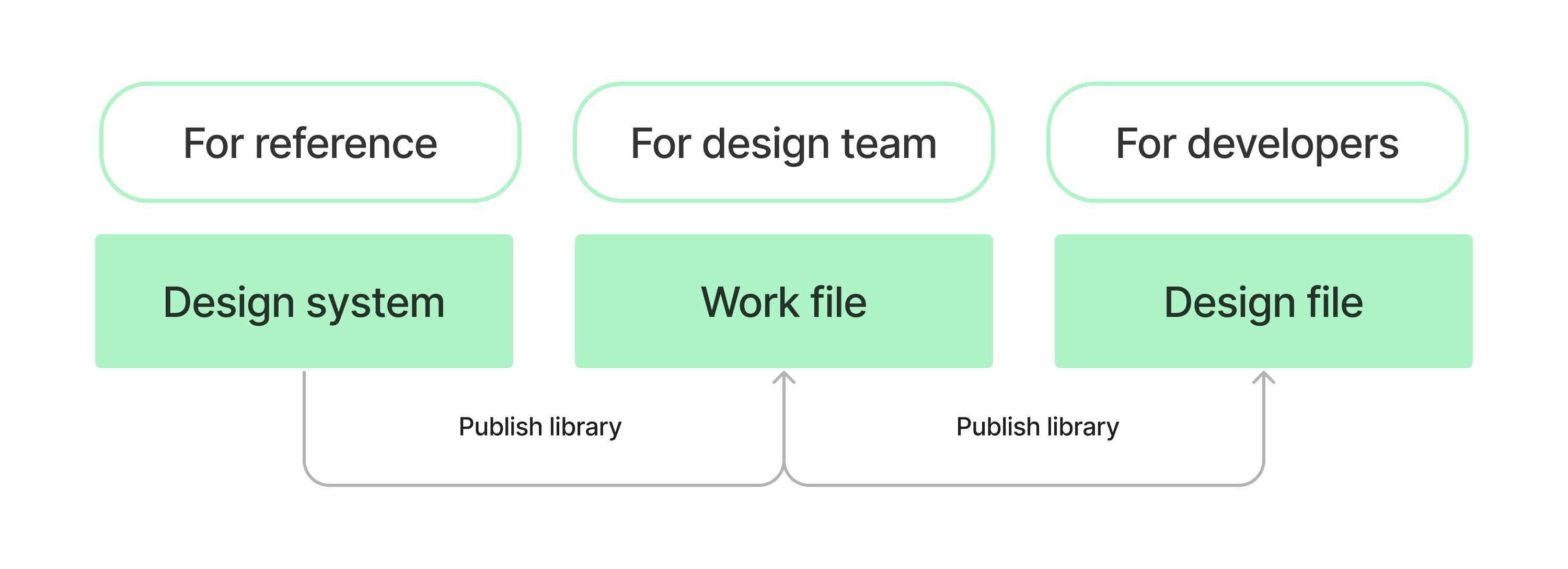
The first file is the one where we work: try out new sections, make comments with the design team, have multiple versions of the designs, save deprecated designs, wireframes, original design we got when we received this project and the design graveyard where we keep the designs that didn’t make the final cut (I dunno, maybe I’ll need it in the future).
Now here comes the magic: the Design File only has final page instances from the component pages that are located in the Work file, nothing else.
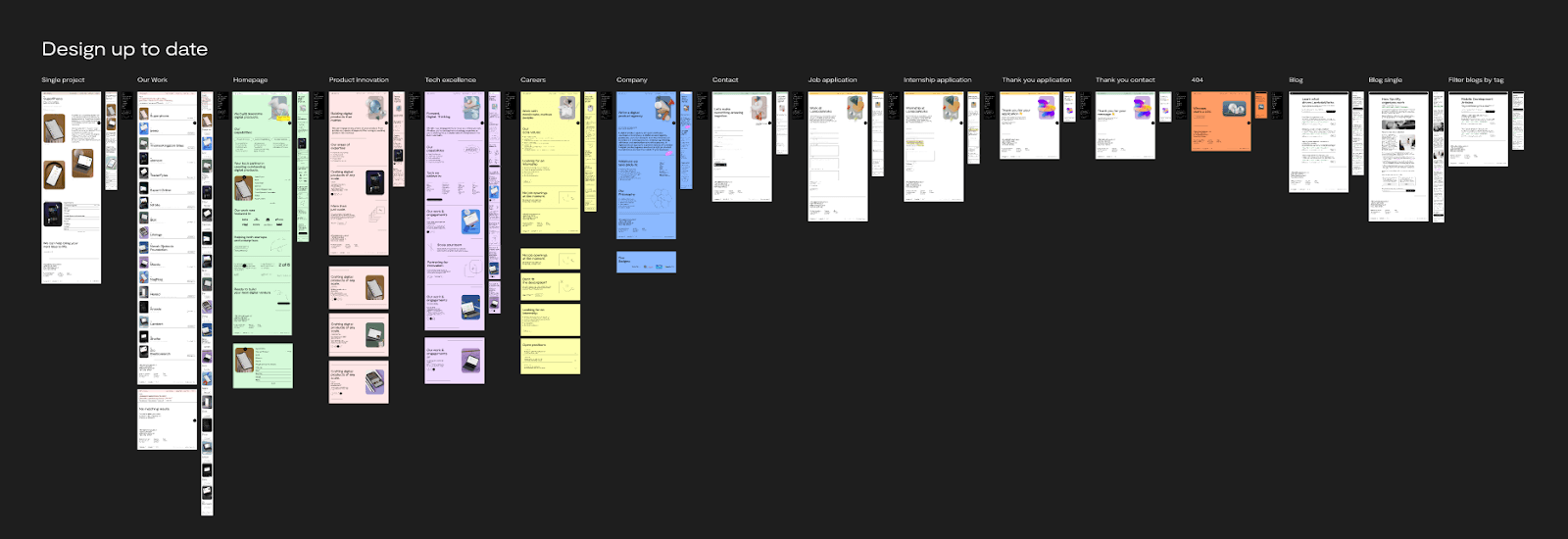
When we’re done with the design process and we make all the final decisions, we publish the library in the Work File, update it in the Design File, and poof, only the final changes are applied for developers, there is no clutter, no confusion.
The Work File also acts as a buffer when we change and add the components on the Design System page. Those changes won’t be visible to developers until we publish them, no mess-ups and undocumented changes in our house! Optional: you can combine the second and third files, but your component changes will be applied right away to that file. Maybe that floats your boat more, so sail away, my dears!
Optimized workflow? Check. Consistency? Check. Efficiency? Double-check.
So, there you have it, folks – my journey to design system nirvana. Building one from existing designs has been a total game-changer for me, and I reckon it'll be the same for you. So grab those design bits, whip up some components, and get ready to level up your design game.
Make sure to check out our LambdaWorks marketing site design system, and feel free to leave some comments!
You might also like reading these blog posts:
Error Handling in Scala: Navigating Try, Either, and ZIO
Dimitrije Bulaja
Stop Chasing Ideas Start Validating Products
Filip Komnenović